
 FillKit by ToolClack Text Expander & Autofill
Stop retyping the same text every day
FillKit expands your snippets and fills whole forms for you, right in the Chrome side panel. Fully local, no account required.
How it works
1 Save it once
Write the text you keep retyping and give it a short shortcut. No account needed.
2 Type it anywhere
Type the shortcut in any text field, on any site, and the full text takes its place.
3 Fill whole forms
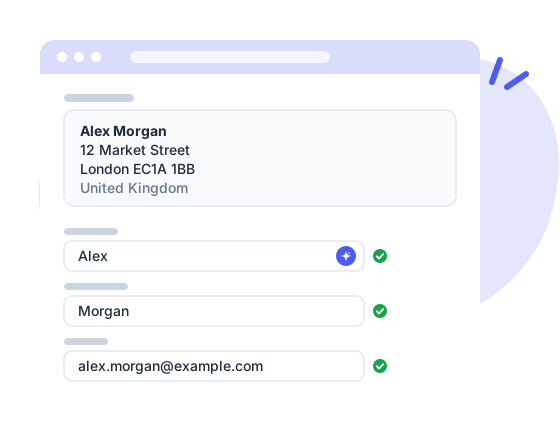
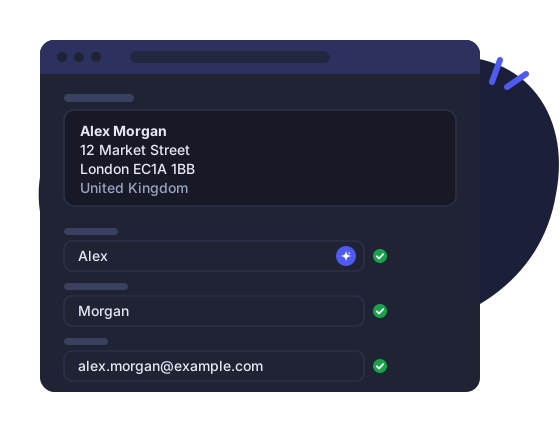
Save a form's fields once, then fill it again with one click or the keyboard shortcut.
Features
Text snippets
Type ;sig and your signature appears, in any text field on any site. Organize snippets in folders, mark favorites, switch trigger prefixes.
Snippet chains
Combine snippets and free text into bigger blocks, like a full reply built from your greeting, answer and signature.
Interactive fields
Put placeholders in a snippet and FillKit asks for the changing parts right on the page, every time you use it.
One-click autofill
Save the fields of a form once, then fill the whole thing with one click, the keyboard shortcut or the right-click menu.
Your details & Company data
Save email, phone or company once and every snippet and autofill uses them. On Business, the whole team shares the company's details.
Backup and sync
Optional backup to your own Google Drive, and optional ToolClack account sync to keep every device in step.
Switch in a minute
Bring your snippets over from the text expander you use today, or from a CSV. You pick the folders, FillKit converts what has an equivalent; formulas and complex automations stay behind.
Dates that write themselves
Today, in two weeks or next Monday, in the format you pick and in your language, worked out again every time you insert.
Speaks your language
The panel and the in-page tools come in 12 languages, dates included. FillKit follows your browser, or you pick one.
Pricing
Free
Everything you need to stop retyping. No account, and your data stays with you.
- 20 snippets and chains
- 3 autofill sets
- Nested folders and auto-numbering counters
- Find & replace across all snippets
- Keyboard shortcut and right-click fill
- Import from other text expanders or CSV
- Google Drive backup
- Fully local, no account required
Pro
No limits, and your snippets follow you to every device, with history to undo any change.
- Everything included in Free
- Unlimited snippets and chains
- Unlimited autofill sets
- Cloud sync and automatic backup
- Share via link (snippets, folders, autofills)
- Snippet version history
- 30-day cloud trash
- Counters and usage stats synced across devices
- Email to snippet
- Cancel anytime, nothing is ever deleted
Business
One shared library for the whole team, with the company's details always current.
- Everything included in Pro
- Shared folders and autofill sets
- Editor and Viewer roles for each teammate
- Company details for the whole team
- One counter sequence for the whole team
- Trash and history for shared items
- Team usage reporting
- One invoice for the whole team
All prices include VAT where applicable.
Compare plans
| Free | Pro | Business | |
|---|---|---|---|
| Snippets & editing | |||
| Snippets and chains | 20 | Unlimited | Unlimited |
| Autofill sets | 3 | Unlimited | Unlimited |
| Interactive form fields | ✓ | ✓ | ✓ |
| Date, time, clipboard and page tokens | ✓ | ✓ | ✓ |
| Auto-numbering (001, 002, 003…) | Local | Synced | Team-wide |
| Nested folders | ✓ | ✓ | ✓ |
| Find & replace and snippet palette | ✓ | ✓ | ✓ |
| Import from other text expanders or CSV | ✓ | ✓ | ✓ |
| Email to snippet | – | ✓ | ✓ |
| Autofill | |||
| Fill from the page, keyboard shortcut or right-click | ✓ | ✓ | ✓ |
| Snippets inside autofills | ✓ | ✓ | ✓ |
| Default autofill per site | ✓ | ✓ | ✓ |
| Sync & backup | |||
| Cloud sync | – | ✓ | ✓ |
| Devices in sync | – | 3 | 3 per user |
| Automatic backups | – | ✓ | ✓ |
| Google Drive backup | ✓ | ✓ | ✓ |
| Version history | – | ✓ | ✓ |
| 30-day cloud trash | – | ✓ | ✓ |
| Sharing | |||
| Share via link | Import only | Create and revoke | Create and revoke |
| Team | |||
| Shared snippet folders | – | – | ✓ |
| Shared autofill sets | – | – | ✓ |
| Company details | – | – | ✓ |
| Team management and roles | – | – | ✓ |
| Team trash and history | – | – | ✓ |
| Team usage reporting | – | – | ✓ |
| Account | |||
| Personal usage reporting | – | ✓ | ✓ |
| Interface in 12 languages | ✓ | ✓ | ✓ |
| Support | |||
Frequently asked questions
Which browsers are supported?
Chrome for now. Other browsers are coming soon, as the same product with the same data.
Is there a free version?
Yes, and it is genuinely useful: 20 snippets, 3 autofill sets and a full local feature set, with no account required. Pro removes the limits and adds cloud sync.
Can I bring my snippets from another text expander?
Yes. FillKit imports from Text Blaze, Magical, TextExpander, aText, ProKeys, Auto Text Expander and Text Snippets, or from a CSV file. You see what the file holds and pick the folders; dates, clipboard, cursor and form fields become FillKit tokens. Formulas and key presses have no equivalent and are left out.
Where is my data stored?
In your browser. If you enable Drive backup it goes to your own Google Drive; if you enable sync, to your ToolClack account. Both are optional.
What happens if I cancel Pro?
Nothing is deleted. Sync stops and FillKit keeps working in your browser with the Free limits: your oldest 20 snippets and 3 autofill sets stay active, the others stay saved and come back as soon as you return to Pro.
Does FillKit fill passwords?
No, by design. Password fields, one-time codes and card numbers are skipped everywhere; that is your password manager's job.
How do I add people to my team?
On your account page, add their email. They sign in with that address and accept the invite from their account page or from the extension; until they do, they see nothing of the team. Each member takes one seat.
Can my team see my personal snippets?
No. On a Business team, only the folders and autofill sets you explicitly share are visible to teammates. Everything else, your other folders, your personal autofill sets, your personal details, stays private to you; team members see each other's e-mail address and role in the team roster.
Which languages does FillKit speak?
Twelve: English, Italian, Spanish, French, German, Portuguese (Brazil), Indonesian, Turkish, Polish, Dutch, Ukrainian and Czech, dates included. It follows your browser's language, or you pick one in Settings.
Does it work on every website?
Snippets expand in any normal text field, including rich editors like Gmail. Autofill works on standard forms; you can disable FillKit on any site with one click.
Still have questions? Contact support →
Ready to stop retyping?
Install FillKit and get your snippets and autofill in the Chrome side panel in under a minute.
Add to Chrome