
 FillKit de ToolClack Text Expander & Autofill
Deja de escribir el mismo texto todos los días
FillKit expande tus snippets y rellena formularios enteros por ti, directamente en el panel lateral de Chrome. Todo en local, sin cuenta.
Cómo funciona
1 Guárdalo una vez
Escribe el texto que repites una y otra vez y dale un atajo corto. No necesitas cuenta.
2 Escríbelo donde quieras
Escribe el atajo en cualquier campo de texto, en cualquier sitio, y el texto completo ocupa su lugar.
3 Rellena formularios enteros
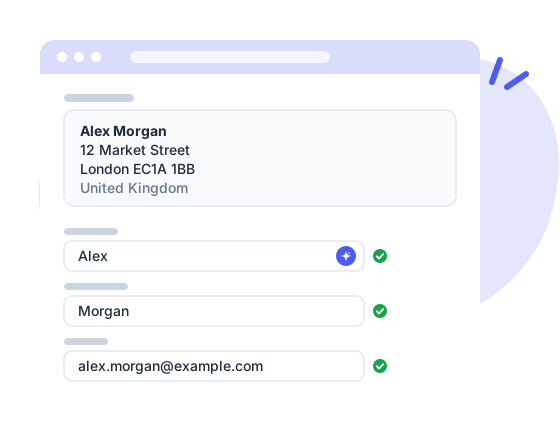
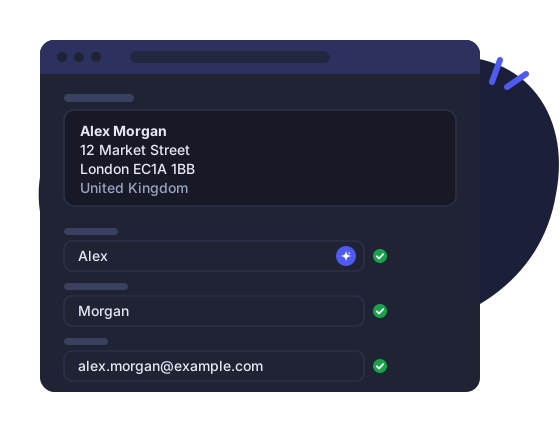
Guarda una vez los campos de un formulario y vuelve a rellenarlo con un clic o con el atajo de teclado.
Funciones
Snippets de texto
Escribe ;sig y aparece tu firma, en cualquier campo de texto de cualquier sitio. Organiza los snippets en carpetas, marca favoritos y cambia el prefijo de los atajos.
Cadenas de snippets
Combina snippets y texto libre en bloques más grandes, como una respuesta completa hecha con tu saludo, la respuesta y tu firma.
Campos interactivos
Pon marcadores en un snippet y FillKit te pide las partes que cambian directamente en la página, cada vez que lo usas.
Autofill con un clic
Guarda una vez los campos de un formulario y rellénalo entero con un clic, el atajo de teclado o el menú del botón derecho.
Tus datos y los de la empresa
Guarda email, phone o company una vez y todos tus snippets y autofills los usan. En Business, todo el equipo comparte los datos de la empresa.
Copia de seguridad y sincronización
Copia de seguridad opcional en tu propio Google Drive y sincronización opcional con una cuenta ToolClack para tener todos tus dispositivos al día.
Cámbiate en un minuto
Trae tus snippets desde el expansor de texto que usas hoy, o desde un CSV. Tú eliges las carpetas, FillKit convierte lo que tiene equivalente; las fórmulas y automatizaciones complejas quedan fuera.
Fechas que se escriben solas
Hoy, dentro de dos semanas o el próximo lunes, en el formato que elijas y en tu idioma, calculadas de nuevo cada vez que insertas.
Habla tu idioma
El panel y las herramientas de la página están en 12 idiomas, fechas incluidas. FillKit sigue el idioma de tu navegador, o eliges uno tú.
Precios
Free
Todo lo que necesitas para dejar de reescribir. Sin cuenta, y tus datos se quedan contigo.
- 20 snippets y cadenas
- 3 conjuntos de autofill
- Carpetas anidadas y contadores de numeración automática
- Buscar y reemplazar en todos los snippets
- Atajo de teclado y rellenado con el botón derecho
- Importación desde otros expansores de texto o CSV
- Copia de seguridad en Google Drive
- Todo en local, sin cuenta
Pro
Sin límites, y tus snippets te siguen a todos tus dispositivos, con historial para deshacer cualquier cambio.
- Todo lo incluido en Free
- Snippets y cadenas ilimitados
- Conjuntos de autofill ilimitados
- Sincronización en la nube y copia de seguridad automática
- Compartir por enlace (snippets, carpetas, autofills)
- Historial de versiones de los snippets
- Papelera en la nube de 30 días
- Contadores y estadísticas de uso sincronizados entre dispositivos
- Email a snippet
- Cancela cuando quieras, nunca se borra nada
Business
Una biblioteca compartida para todo el equipo, con los datos de la empresa siempre al día.
- Todo lo incluido en Pro
- Carpetas y conjuntos de autofill compartidos
- Roles de editor y lector para cada miembro del equipo
- Datos de empresa para todo el equipo
- Una única secuencia de contador para todo el equipo
- Papelera e historial para los elementos compartidos
- Informes de uso del equipo
- Una sola factura para todo el equipo
Todos los precios incluyen el IVA cuando corresponde.
Comparar planes
| Free | Pro | Business | |
|---|---|---|---|
| Snippets y edición | |||
| Snippets y cadenas | 20 | Ilimitados | Ilimitados |
| Conjuntos de autofill | 3 | Ilimitados | Ilimitados |
| Campos de formulario interactivos | ✓ | ✓ | ✓ |
| Tokens de fecha, hora, portapapeles y página | ✓ | ✓ | ✓ |
| Numeración automática (001, 002, 003…) | Local | Sincronizados | Para todo el equipo |
| Carpetas anidadas | ✓ | ✓ | ✓ |
| Buscar y reemplazar y paleta de snippets | ✓ | ✓ | ✓ |
| Importación desde otros expansores de texto o CSV | ✓ | ✓ | ✓ |
| Email a snippet | – | ✓ | ✓ |
| Autofill | |||
| Rellenar desde la página, atajo de teclado o clic derecho | ✓ | ✓ | ✓ |
| Snippets dentro de los autofill | ✓ | ✓ | ✓ |
| Autofill predeterminado por sitio | ✓ | ✓ | ✓ |
| Sincronización y copias de seguridad | |||
| Sincronización en la nube | – | ✓ | ✓ |
| Dispositivos sincronizados | – | 3 | 3 por usuario |
| Copias de seguridad automáticas | – | ✓ | ✓ |
| Copia de seguridad en Google Drive | ✓ | ✓ | ✓ |
| Historial de versiones | – | ✓ | ✓ |
| Papelera en la nube de 30 días | – | ✓ | ✓ |
| Compartir | |||
| Compartir por enlace | Solo importar | Crear y revocar | Crear y revocar |
| Equipo | |||
| Carpetas de snippets compartidas | – | – | ✓ |
| Conjuntos de autofill compartidos | – | – | ✓ |
| Datos de empresa | – | – | ✓ |
| Gestión del equipo y roles | – | – | ✓ |
| Papelera e historial del equipo | – | – | ✓ |
| Informes de uso del equipo | – | – | ✓ |
| Cuenta | |||
| Informes de uso personales | – | ✓ | ✓ |
| Interfaz en 12 idiomas | ✓ | ✓ | ✓ |
| Soporte | |||
Preguntas frecuentes
¿Qué navegadores son compatibles?
Por ahora, Chrome. Pronto llegarán otros navegadores, con el mismo producto y los mismos datos.
¿Hay una versión gratuita?
Sí, y es realmente útil: 20 snippets, 3 conjuntos de autofill y todas las funciones locales, sin cuenta. Pro quita los límites y añade la sincronización en la nube.
¿Puedo traer mis snippets de otro expansor de texto?
Sí. FillKit importa desde Text Blaze, Magical, TextExpander, aText, ProKeys, Auto Text Expander y Text Snippets, o desde un archivo CSV. Ves lo que contiene el archivo y eliges las carpetas; las fechas, el portapapeles, el cursor y los campos de formulario se convierten en tokens de FillKit. Las fórmulas y las pulsaciones de teclas no tienen equivalente y se omiten.
¿Dónde se guardan mis datos?
En tu navegador. Si activas la copia de seguridad en Drive, van a tu propio Google Drive; si activas la sincronización, a tu cuenta ToolClack. Las dos son opcionales.
¿Qué pasa si cancelo Pro?
No se borra nada. La sincronización se detiene y FillKit sigue funcionando en tu navegador con los límites de Free: tus 20 snippets y 3 conjuntos de autofill más antiguos siguen activos, los demás quedan guardados y vuelven en cuanto regresas a Pro.
¿FillKit rellena contraseñas?
No, a propósito. Los campos de contraseña, los códigos de un solo uso y los números de tarjeta se omiten en todas partes; eso es tarea de tu gestor de contraseñas.
¿Cómo añado personas a mi equipo?
En la página de tu cuenta, añade su email. Inician sesión con esa dirección y aceptan la invitación desde la página de su cuenta o desde la extensión; hasta entonces, no ven nada del equipo. Cada miembro cuenta como un usuario.
¿Mi equipo puede ver mis snippets personales?
No. En un equipo Business, tus compañeros solo ven las carpetas y los conjuntos de autofill que compartes de forma explícita. Todo lo demás (tus otras carpetas, tus conjuntos de autofill personales, tus datos personales) sigue siendo privado; los miembros ven el email y el rol de los demás en la lista del equipo.
¿En qué idiomas está FillKit?
En doce: inglés, italiano, español, francés, alemán, portugués (Brasil), indonesio, turco, polaco, neerlandés, ucraniano y checo, fechas incluidas. Sigue el idioma de tu navegador, o eliges uno en Ajustes.
¿Funciona en todos los sitios web?
Los snippets se expanden en cualquier campo de texto normal, incluidos editores enriquecidos como Gmail. El autofill funciona en formularios estándar; puedes desactivar FillKit en cualquier sitio con un clic.
¿Aún tienes preguntas? Contacta con soporte →
¿Listo para dejar de reescribir?
Instala FillKit y ten tus snippets y tu autofill en el panel lateral de Chrome en menos de un minuto.
Añadir a Chrome