
 StepKit Coming soon Step-by-step guides
Stop explaining the same steps twice
Click through any process and StepKit turns it into a guide with screenshots, ready to edit, export and share. Fully local, no account required.
How it works
Record it once
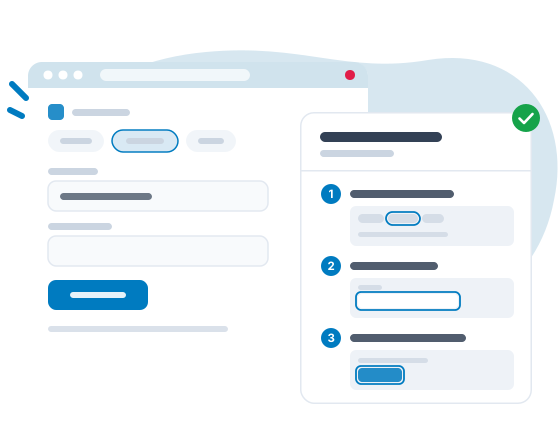
Press record and do the task as usual. Every click becomes a step with a screenshot of the right moment.
Make it yours
Rename steps, add notes, crop, draw arrows and blur anything private, right in the editor.
Hand it over
Export it as PDF, Word, Markdown or HTML, copy it into your wiki, or share a link that follows your edits.
Features
One take, one guide
Record a flow across tabs and windows: clicks, pages and a screenshot per step, titled for you. Pause, resume or capture a button without pressing it.
An editor that keeps up
Edit titles and notes in place, reorder by drag, crop, annotate with arrows, boxes and text, and replace a single screenshot without redoing the guide.
Private by design
Guides live on your device, recording never reads what you type, and blur destroys pixels for good. Automatic blur finds the sensitive bits for you on Pro.
Exports people actually use
PDF, Word, Markdown, HTML and copy-paste for Confluence, Notion or Google Docs. A whole folder exports as one document with contents.
Guide me on the page
Readers can follow a guide live: StepKit highlights what to click on the real page, step by step.
Guides that stay current
Re-capture one step when a screen changes, mark guides verified, and shared links update by themselves when you edit.
Pricing
Free
Record, edit and export real guides. No account, and your data stays with you.
- Up to 10 guides on this device
- Records clicks and pages, with or without screenshots
- Full editor with sections, tips, crop, annotations and manual blur
- Folders, each exportable as one document
- Export to PDF, Word, Markdown and HTML
- Copy for Confluence, Notion and Google Docs
- Your guides for the site you're on, shown first
- Backup and restore to a file
Pro
Unlimited guides on up to 3 devices, and the tools that keep them current.
Monthly plan: €12.99 -23%
€12.99 €9.99
per month, billed yearly per month, cancel anytime
Upgrade to Pro- Everything included in Free
- Unlimited guides
- Sync on up to 3 devices
- Public or private links that follow your edits
- A whole folder as one link, its guides as chapters
- Link views, and embed code for public links
- Readers follow your shared guides on the page, free
- Automatic blur of sensitive data
- Re-capture a step instead of redoing the guide
- Guide me: StepKit shows what to click on the real page
- Version history, and deleted guides restorable for 7 days
- Your logo on exports and links, and no StepKit watermark
- Interactive offline HTML export
Team
All of Pro for everyone, plus one library the whole team shares.
Monthly plan: €14.99 -20%
€14.99 €11.99
per user/month, billed yearly · from 2 users per user/month · from 2 users
Upgrade to Team- Everything included in Pro
- One shared library for the whole team
- Roles: who edits, who reads
- Enforced automatic blur for every member
- Team-only share links
- Team pins: a guide pinned to a site shows for everyone
- Guide requests: ask for missing guides, assign them, track outdated ones
- Comments on steps: ask and answer right on the step, resolve when fixed
- Team branding: one logo, name and color on every member's exports and links
- One invoice for the whole team
All prices include VAT where applicable.
Compare plans
| Free | Pro | Team | |
|---|---|---|---|
| Record & edit | |||
| Guides | 10 | Unlimited | Unlimited |
| Clicks, pages and text-only recording | ✓ | ✓ | ✓ |
| Capture a page as it is, without clicking | ✓ | ✓ | ✓ |
| Crop, annotations and manual blur | ✓ | ✓ | ✓ |
| Section titles and Tip / Warning boxes | ✓ | ✓ | ✓ |
| Search titles, notes and step texts | ✓ | ✓ | ✓ |
| Automatic blur of sensitive data | Suggested | ✓ | ✓ |
| Re-capture a step | – | ✓ | ✓ |
| Version history | – | ✓ | ✓ |
| Flag guides To review or Outdated | ✓ | ✓ | ✓ |
| Automatic review reminders | – | ✓ | ✓ |
| Restore deleted guides within 7 days | – | ✓ | ✓ |
| Share & export | |||
| Export to PDF, Word, Markdown and HTML | ✓ | ✓ | ✓ |
| Copy for Confluence, Notion and Google Docs | ✓ | ✓ | ✓ |
| Export a whole folder as one document | ✓ | ✓ | ✓ |
| Interactive offline HTML | – | ✓ | ✓ |
| Exports without the StepKit watermark | – | ✓ | ✓ |
| Branding: your logo, color and website on exports and links | – | ✓ | ✓ |
| Public share links that follow your edits | – | ✓ | ✓ |
| Share a whole folder as one link | – | ✓ | ✓ |
| Share links for chosen people only | – | ✓ | ✓ |
| Readers copy a guide into their StepKit | – | ✓ | ✓ |
| Link views | – | ✓ | ✓ |
| Embed code for public links | – | ✓ | ✓ |
| Readers follow a shared guide with Guide me | – | ✓ | ✓ |
| Sync and Guide me | |||
| Devices in sync | – | 3 | 3 per user |
| Guide me, live on the page | – | ✓ | ✓ |
| Pin a guide to a site | – | ✓ | ✓ |
| Your guides for the site you're on, shown first | ✓ | ✓ | ✓ |
| Team | |||
| One shared team library with roles | – | – | ✓ |
| Enforced blur for every member | – | – | ✓ |
| Team-only share links | – | – | ✓ |
| Pins shared with the whole team | – | – | ✓ |
| Guide requests | – | – | ✓ |
| Comments on steps | – | – | ✓ |
| Team branding shared by every member | – | – | ✓ |
| Account | |||
| Backup and restore to a file | ✓ | ✓ | ✓ |
| Interface in 12 languages | ✓ | ✓ | ✓ |
| Support | |||
Frequently asked questions
Which browsers are supported?
Chrome at launch. The guides you record are ordinary documents once exported, so readers need nothing at all.
Is there a free version?
Yes, and it records real guides: 10 guides with the full editor and every export, no account required. Pro removes the limit and adds sync, share links and automatic blur.
Do readers need StepKit?
No. A shared link opens in any browser, and exports are normal PDF, Word, Markdown or HTML files. Only people who record and edit need the extension. Readers who add it, free, can also follow a shared guide on the real site with Guide me.
What does StepKit see while I record?
Element names and positions, never the text you type into fields. Screenshots show the page as you see it, so password, code and card fields, emails and phone numbers are found on your device and offered for blur (Pro blurs them as you record), and step titles hide them. Recording only runs once you start it, with a visible indicator.
What happens if I cancel Pro?
Your guides stay on your device. Above 10 guides they turn read only: you can still open, export and delete them. Sync stops, and the links you shared keep working but no longer follow your edits.
Still have questions? Contact support →
Ready to stop repeating yourself?
Record your first guide in minutes. Free, local, no account.
Coming soon